


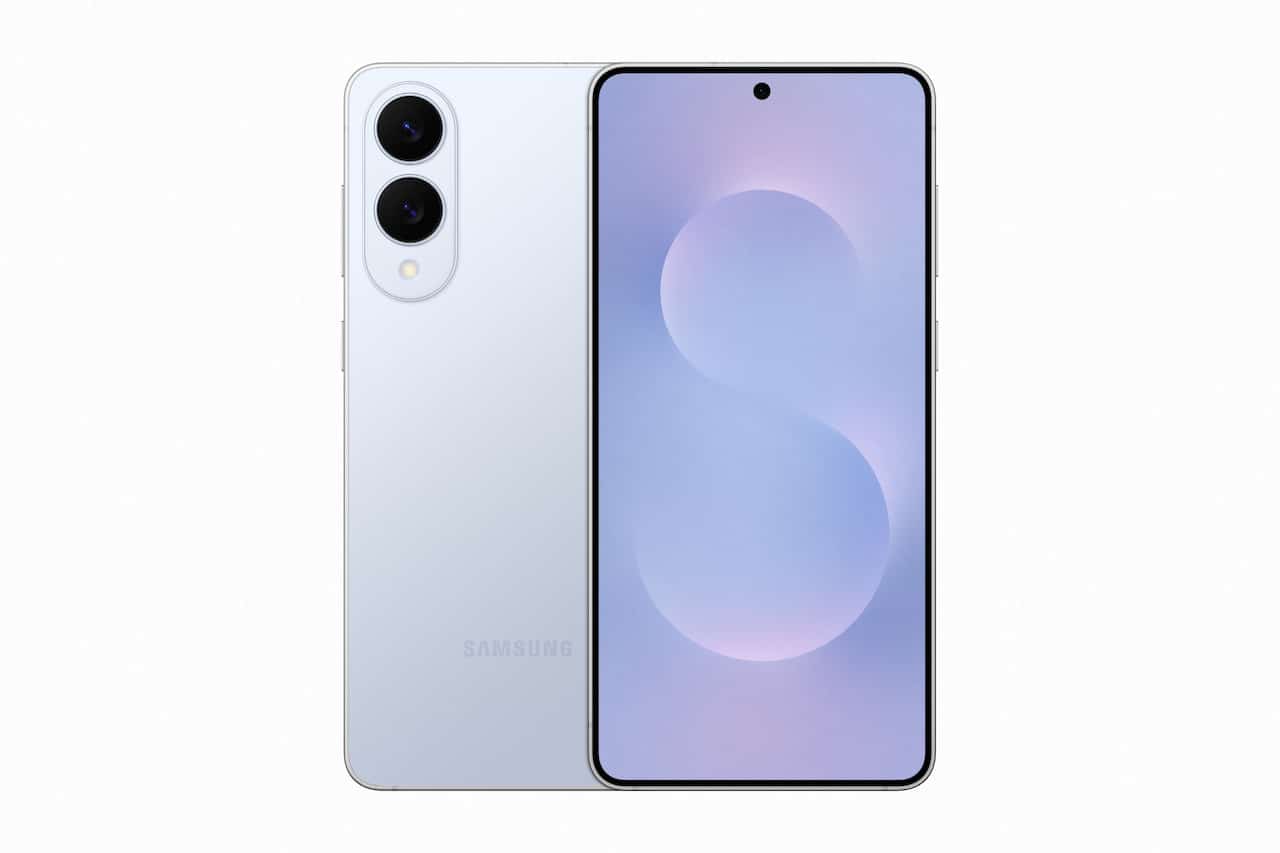
Last week, Samsung launched the One UI 8.5 Beta – and it makes Auracast even easier to share or connect with.
We have an S25 and have been able to download the Beta, so we can confirm that the changes made create a better user experience for those wanting to use the new Bluetooth LE Audio technology.
While many will connect to an Auracast via their hearing aid or headphones app, others will utilise Samsung’s native ability to connect or transmit. This update is welcome.

Previously, people had to go to SETTINGS, then CONNECTIONS and BLUETOOTH. From that screen, they had to click the three dots in the top right corner, then ADVANCED SETTINGS, and then connect or transmit AURACAST.
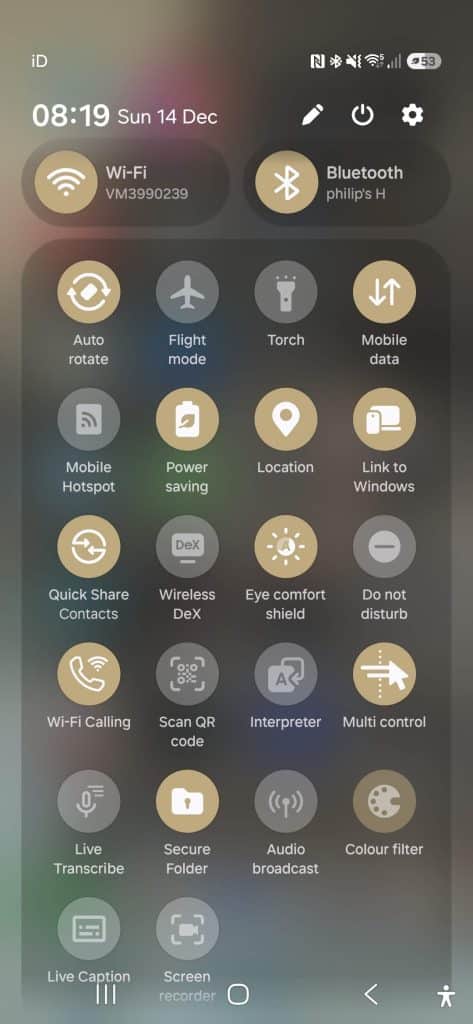
Now, from any screen people can drag down from the top right of the screen to bring up the Samsung app drawer, and then click on AUDIO BROADCAST. From there, it’s a case of pressing SHARE to share either music (MEDIA) or use the phone as a microphone (VOICE).
Alternatively, pressing LISTEN brings up a list of available Auracasts and the user can click on the one they want to hear.
It’s also possible to quickly and easily change the name of the Auracast broadcast and its password thanks to the pencil icon next to each element.
Here’s what Samsung says about the Audio Broadcast mode in One UI 8.5 Beta: “New cross-device features make managing devices easier, whether users need to manage files, share their network, or communicate with nearby devices. Audio Broadcast3 enables effortless communication with LE Audio-supported devices nearby using Auracast. In addition to audio from media sources, users can now broadcast their voice using their Galaxy phone’s built-in microphone – ideal for group situations like tours or events.”
This is a massive advance, and Samsung should be applauded for what they’ve done to make it straightforward, and put Auracast front and centre. Coming in the same week that Apple released OS 26.2, with no Auracast features, it shows the stark difference between the two operating systems.
Other changes in One UI 8.5

Samsung has introduced a raft of changes with the One UI 8.5 Beta. They include improvements to its Photo Assist feature making it quicker to edit and review pictures.
A Quick Share feature means files can be sent to other devices faster. Samsung says that it can now recognise photos and proactively suggests sending them directly to them.
Storage Share aims to improve the way One UI 8.5 devices connect to other devices in the Samsung Galaxy ecosystem: it can show files from other Galaxy devices — including tablets and PCs — directly in the My Files app. It also allows users to access their phone’s files from other Samsung devices, including their TV.
There are additional security measures too: Theft Protection keeps phones and their data secure in the case that it is lost or stolen. For additional protection, Failed Authentication Lock automatically locks the screen if there are too many failed attempts to verify identity by fingerprint, PIN or password. Identity check also safeguards more settings than before, adding an extra layer of protection.
How can I get Samsung One UI 8.5 Beta?
At the moment, the beta programme is limited to Galaxy S25 users in Germany, India, Korea, Poland, the UK and the US.
To sign up, Galaxy users apply via the Samsung Members app. This is free to do.
Samsung warns that this is a Beta software release and it may have bugs and errors so a backup of important files and contacts should be undertaken before installing.
How are we finding Samsung One UI 8.5 Beta?
So far, so good. We are just over 24 hours into using the Beta and it has been stable.
The previous version of One UI 8 that we had drained our battery quickly: a two-hour car journey with Google Maps open would see the storage drop from 100% to around 70%, while the hearing aid app was regularly marked up as a drain on resources.
We have yet to charge our phone since installing the update – 24 hours ago – and still have 17% left. This is a big improvement, and we hope this initial finding remains consistent.
However, for us, the big change is in the Audio Sharing section. While we have concerns that this isn’t clearly labelled as Auracast and could confuse consumers trying to get used to this new technology, connecting or transmitting is a doddle. And in putting transmitting front and centre of the new Audio Sharing section, it showcases one of Auracast’s strengths – how easy it is to share audio, be it music or speech.
So far, this feature is only available on S25 devices: Galaxy S25, S25+ and S25 Ultra. We hope this is extended in due course.










Leave a comment